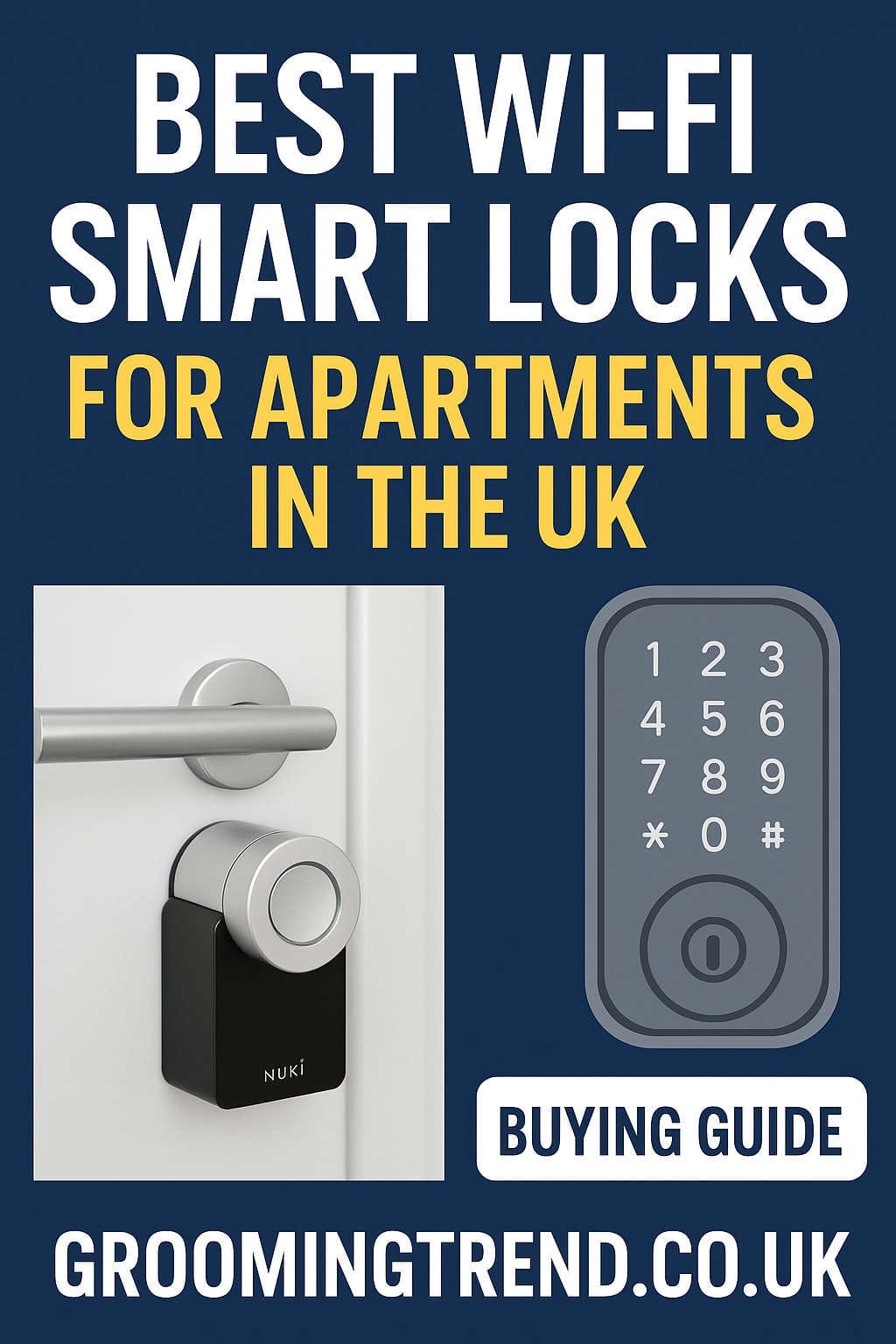
In a world where convenience meets security, Wi-Fi smart locks have become one of the most practical upgrades for modern living—especially for apartment dwellers in the UK. Whether you’re tired of fumbling with keys, worried about package deliveries, or simply want to manage access remotely, a smart lock can completely change the way you interact with your home.
However, not every smart lock is built for the UK market. British apartments often have unique door setups like Euro profile cylinders or multipoint locking systems, which can complicate compatibility. Add in landlord restrictions and insurance requirements, and it’s easy to feel overwhelmed.
This guide breaks everything down for you. We’ll explore what makes a great Wi-Fi smart lock, how to ensure it fits your apartment door, and the top smart locks available in the UK in 2026—including options for renters, owners, and smart home enthusiasts.
Let’s dive in.
Why Smart Locks Are Perfect for Apartment Living
If you live in an apartment, convenience is everything. Between shared entryways, deliveries, and visitors, having quick and secure access control can save you endless hassle. A Wi-Fi smart lock allows you to:
- Unlock or lock remotely from your phone
- Grant access to guests, cleaners, or maintenance staff temporarily
- Get notifications when someone enters or exits
- Integrate with voice assistants like Alexa, Google Assistant, or Siri
- Ditch the keys while keeping a secure backup option
For UK apartment living, these features are particularly useful. Most flats have secure communal entry doors, so adding smart access control to your own front door enhances convenience without compromising building-wide security.
Wi-Fi vs Bluetooth Smart Locks: Which One’s Better?
Bluetooth smart locks are cheaper and use less power, but they only work when you’re nearby. That means you can’t check if your door is locked or let someone in while you’re away.
Wi-Fi smart locks, on the other hand, connect directly to your home network (or through a bridge) to give you remote access. This is ideal for apartment owners or renters who want to manage access even when they’re not home.
In short:
- Bluetooth locks: Best for local, keyless entry only.
- Wi-Fi locks: Best for full remote control, guest management, and smart home integration.
For most UK apartment residents, Wi-Fi-enabled smart locks are the better choice.
What to Know Before Buying a Smart Lock in the UK
1. Door and Cylinder Type
UK doors commonly use Euro profile cylinders, not the single deadbolts you see in American homes. Many international smart locks are designed for U.S. deadbolts, so you’ll need a lock that supports Euro cylinders or can retrofit over your existing hardware.
2. Multipoint Lock Systems
Many British doors, especially uPVC or composite types, use multipoint locking systems—you lift the handle before turning the key. Some smart locks don’t work with these setups, so always verify compatibility.
3. Landlord Permissions
If you rent your flat, check your tenancy agreement or ask your landlord for permission before installing a smart lock. Retrofit models that don’t require drilling are usually acceptable since they can be removed easily when you move out.
4. Home Insurance Requirements
Some insurers specify that external doors must use British Standard locks. If you replace or modify your cylinder, make sure it still meets BS3621 or TS007 standards to stay insured.
5. Power and Connectivity
Smart locks run on batteries—usually AA or rechargeable lithium cells. Look for long-lasting battery life (at least six months per charge) and low-battery alerts via the app. If your Wi-Fi signal is weak near the door, a lock with a built-in bridge or strong antenna is a smart choice.
Top 5 Best Wi-Fi Smart Locks for UK Apartments (2026 Edition)
After researching dozens of models and considering compatibility, ease of installation, security, and features, these five stand out as the best Wi-Fi smart locks for apartment living in the UK.
1. Nuki Smart Lock Pro
Best Overall for UK Apartments
The Nuki Smart Lock has long been the go-to option for European homes, and the 2026 Nuki Smart Lock Pro continues that legacy. It’s specifically designed for Euro profile cylinders, making it perfect for UK doors without requiring major changes.
The Pro and Ultra versions come with built-in Wi-Fi, so there’s no need for an external bridge. You can control your lock from anywhere, assign digital keys, and even integrate it with Alexa, Google Home, or Apple HomeKit.
Key Features:
- Retrofit design (installs over your existing key or thumbturn)
- Built-in Wi-Fi and Bluetooth connectivity
- Compatible with Euro profile cylinders
- Voice control via Alexa, Google, and Siri
- Auto-unlock when you arrive
- Battery life: Up to 6 months
Pros:
- Quick installation and fully reversible (ideal for renters)
- Works perfectly with most UK door types
- No separate Wi-Fi bridge required in Pro/Ultra models
- Highly secure encryption and data protection
Cons:
- Not compatible with some multipoint locks
- Slightly pricier than entry-level models
Verdict:
For UK apartments, Nuki offers the best blend of compatibility, reliability, and smart features. It’s perfect for renters, families, and anyone who values seamless European design.
2. Yale Linus Smart Lock
Best for Trusted Brand Reliability
Yale has been synonymous with security for over 180 years, and its Linus Smart Lock brings that trust into the smart era. Designed for Euro cylinders and UK doors, the Linus is sleek, secure, and integrates beautifully with the Yale Access App.
With the optional Yale Connect Wi-Fi Bridge, you can unlock your door remotely, check the activity log, and integrate it with Alexa or Google Home. It’s a safe bet for anyone who wants strong local support and a recognizable brand name.
Key Features:
- Wi-Fi connectivity via optional bridge
- Works with existing Euro cylinders
- Auto-lock and auto-unlock functions
- Detailed access history
- Keypad available for code entry
Pros:
- From a trusted UK brand
- Compatible with many door types
- Good app and smart home integration
- Available with keypad accessory
Cons:
- Requires bridge for Wi-Fi access
- Installation slightly more involved
Verdict:
The Yale Linus Smart Lock is ideal for those who value proven reliability and established UK support networks. It’s also a smart option for landlords and homeowners who want compatibility with other Yale security devices.
3. August Wi-Fi Smart Lock Pro
Best for Simple Retrofit Design
August’s Pro Wi-Fi Smart Lock remains one of the most user-friendly retrofit options in the world. It fits onto the inside of your door, leaving the exterior unchanged—perfect for tenants.
Although originally designed for the U.S. market, newer models and adapter kits make August locks compatible with select UK doors (check before purchase). It features built-in Wi-Fi, so no hub or bridge is required.
Key Features:
- Compact retrofit design
- Built-in Wi-Fi (no bridge needed)
- Auto-lock and unlock features
- Virtual guest keys with timed access
- Integration with Alexa, Google, and Apple HomeKit
Pros:
- Easy DIY installation
- Retains your existing key and exterior hardware
- Great app experience with guest access management
- Sleek, modern design
Cons:
- Limited UK availability and cylinder compatibility
- Shorter battery life than some rivals
Verdict:
If your door setup is compatible, the August Wi-Fi Smart Lock delivers smooth operation, modern aesthetics, and the best guest management system in its class.
4. ULTRALOQ – Fingerprint Smart Lock
Best for Multi-User and Fingerprint Access
The Ultraloq Smart Lock Wi-Fi is perfect for shared flats, Airbnbs, or families who want multiple access options. You can unlock it with your fingerprint, a PIN code, the mobile app, or a physical key, giving flexibility to every user.
It has built-in Wi-Fi, so you can manage access remotely and get notifications whenever someone comes or goes. Its anti-peep keypad and biometric accuracy make it one of the most secure smart locks available in its category.
Key Features:
- Fingerprint sensor, keypad, app, and key options
- Built-in Wi-Fi and voice assistant compatibility
- Anti-peep PIN entry
- Auto-lock/unlock and activity logs
Pros:
- Great for multi-user households
- No bridge required
- Advanced security features
- Easy to use for guests and family members
Cons:
- Slightly bulky design
- Fingerprint sensor may require occasional cleaning
Verdict:
For families, flatmates, or frequent guests, the Ultraloq U-Bolt Pro Wi-Fi offers unmatched flexibility and control. It’s a great choice if you want multiple ways to unlock your door securely.
5. TP-Link Tapo DL100 Smart Door Lock
Best Budget Smart Lock for UK Flats
If you’re on a budget but still want modern features, the TP-Link Tapo DL100 is a great value option. Despite its affordable price, it comes with built-in Wi-Fi, a keypad, and app-based control.
It supports temporary PIN codes, remote access, and notifications. The design is simple and durable, making it ideal for rental apartments or shared spaces.
Key Features:
- Wi-Fi connectivity (no hub required)
- Integrated keypad
- Auto-lock and tamper alerts
- Remote unlock through the Tapo app
- USB emergency power port
Pros:
- Great value for money
- Feature-rich for its price range
- Reliable app performance
- Easy to install
Cons:
- Not as stylish or durable as premium brands
- Limited smart home integrations
Verdict:
For under half the price of top-tier smart locks, the Tapo DL100 delivers the essentials: Wi-Fi control, keypad access, and good reliability. It’s ideal for renters and first-time smart lock buyers.
Smart Lock Comparison Table
| Feature | Nuki Smart Lock Pro | Yale Linus | August Wi-Fi | Ultraloq Smart Lock | TP-Link Tapo DL100 |
|---|---|---|---|---|---|
| Wi-Fi | Built-in | Via Bridge | Built-in | Built-in | Built-in |
| Installation Type | Retrofit | Retrofit | Retrofit | Replace Cylinder | Replace Cylinder |
| Smart Home Integration | Alexa, Google, Siri | Alexa, Google, HomeKit | Alexa, Google, HomeKit | Alexa, Google | Alexa, Google |
| Best For | Renters & homeowners | Homeowners | Renters | Families & shared flats | Budget buyers |
| Battery Life | ~6 months | ~9 months | ~4 months | ~6 months | ~6 months |
| Price Range (approx.) | £180–£300 | £170–£250 | £180–£230 | £190–£250 | £100–£150 |
Installation Tips for UK Apartments
Installing a smart lock in a flat is often easier than you think, especially if you choose a retrofit model. Here’s how to make it go smoothly:
- Measure your door – Check the thickness, cylinder length, and distance between the handle and keyhole.
- Confirm compatibility – Visit the manufacturer’s site to ensure your door type is supported.
- Use the right tools – Most locks only need a screwdriver and measuring tape.
- Follow safety steps – Keep the mechanical key handy during installation.
- Test before full setup – Make sure the lock operates smoothly before finalizing.
- Sync with Wi-Fi or bridge – Place the bridge or router nearby for strong signal.
Most smart locks install in under 20 minutes and can be removed later without damage—perfect for renters.
Security, Privacy, and Insurance Considerations
A common question is: “Are smart locks secure?” The answer is yes—if you choose the right one.
Here’s what to check:
- Encryption: Ensure the lock uses AES or bank-grade encryption to protect your data.
- Firmware updates: Pick brands that release regular updates for security improvements.
- Local backup: A physical key or keypad should always be available in case of connectivity loss.
- Insurance approval: Some insurers may ask for proof of lock certification (like BS3621). Always confirm after installation.
- Privacy settings: Review how access logs are stored and who can view them in the app.
Modern Wi-Fi locks are safer than ever and often more secure than traditional keys that can be easily copied or lost.
For Renters: Smart Lock Etiquette
If you rent your apartment, installing a smart lock is possible—but always follow a few golden rules:
- Ask permission first. Explain to your landlord that retrofit smart locks don’t damage the door and can be removed later.
- Choose reversible models. The Nuki or August are ideal because they mount inside.
- Keep your keys. Even with smart access, never hand back your only physical key.
- Notify building management. Some buildings have shared entry systems that require registration for smart devices.
Smart locks can actually make a rental safer, not riskier—so most landlords will approve if presented properly.
Smart Home Integration: Making It Smarter
Wi-Fi smart locks can easily become part of your connected home setup. Here are some ideas:
- Alexa or Google Assistant: “Alexa, lock the front door” — or check lock status hands-free.
- Apple HomeKit integration: Automate your lock with other devices like lights or thermostats.
- IFTTT automation: Automatically lock your door when you leave or unlock it when your phone connects to home Wi-Fi.
- Smart doorbells and cameras: Pair your lock with video doorbells for complete entry control and monitoring.
When combined with automation, a smart lock becomes part of a seamless apartment security ecosystem.
Maintenance and Battery Tips
To keep your smart lock performing well:
- Replace or recharge batteries every 6–9 months (depending on usage).
- Clean fingerprint sensors gently if applicable.
- Lubricate mechanical parts lightly if you feel resistance.
- Update firmware whenever prompted by the app.
- Keep your app permissions and access codes organized—delete old guest keys regularly.
These small steps will extend your lock’s life and ensure reliable performance all year round.
Common Mistakes to Avoid
- Buying the wrong model for your door type. Always confirm Euro vs deadbolt compatibility.
- Ignoring battery warnings. Replace batteries immediately when alerted.
- Installing in poor Wi-Fi zones. Weak signals can cause delays or app disconnections.
- Not reading insurance fine print. Some policies have specific lock requirements.
- Skipping landlord approval. Avoid trouble by keeping everything documented.
Avoiding these mistakes ensures your smart lock installation is smooth, compliant, and stress-free.
Final Thoughts: The Best Wi-Fi Smart Lock for Your UK Apartment
If you’re looking for a well-rounded, future-proof, and reliable smart lock for UK apartment living, the Nuki Smart Lock 4.0 Pro stands out as the top pick in 2026. It’s designed for European doors, requires no drilling, includes built-in Wi-Fi, and integrates with all major smart home platforms.
However, if you prefer brand familiarity, go for the Yale Linus Smart Lock. It’s dependable and easy to find across UK retailers.
If budget is your main concern, the TP-Link Tapo DL100 delivers incredible value for money.
For those who want fingerprint or multi-user access, the Ultraloq Wi-Fi Smart Lock is unbeatable.
And if you value simplicity and style, the August Wi-Fi Smart Lock is still a solid option for compatible doors.
Quick Buying Checklist
✅ Check your door’s lock type (Euro cylinder or multipoint)
✅ Verify smart lock compatibility before purchase
✅ Confirm Wi-Fi coverage near the door
✅ Decide whether you need keypad, fingerprint, or app-only access
✅ Get landlord approval (if renting)
✅ Keep physical keys as backup
✅ Register your new lock with your insurance provider
The Future of Apartment Security
With Matter and Thread standards becoming more widespread, the next generation of Wi-Fi smart locks will be even easier to integrate across platforms—whether you’re using Alexa, Apple Home, or Google Home. Expect better energy efficiency, local control, and enhanced privacy in upcoming models.
For now, choosing one of the smart locks on this list ensures your UK apartment gets the perfect mix of security, convenience, and modern style.
Bottom Line:
A smart lock doesn’t just make your life easier—it makes your home smarter. Whether you live in a rented flat in London or own an apartment in Manchester, investing in a quality Wi-Fi smart lock gives you peace of mind and a truly keyless lifestyle.
You might also like,